Type ⌨️ Tarot 🔮 Quiz 🧠 Catalog 🛒 Support 🛠️
Meow~ ♡
Squeak! ♡

Your desk can be
kawaii too

Wireless keyboards and mice that brighten your day, every day

🎹
Type Away
ASMR & compliments
🔮
Get Fortune
Keyboard Tarot
🧠
Find Your Match
30-second quiz
🛒
Browse Catalog
Sets & Mice
🕳️
Nothing Here
Absolutely nothing

Type Away 🎹

Feel the satisfying sound and pick your color

Compliments received: 0
Esc
F1
F2
F3
F4
F5
F6
F7
F8
F9
F10
F11
F12
~
1
2
3
4
5
6
7
8
9
0
-
=
Tab
Й
Ц
У
К
Е
Н
Г
Ш
Щ
З
Х
Ъ
\
Caps
Ф
Ы
В
А
П
Р
О
Л
Д
Ж
Э
Enter
Shift
Я
Ч
С
М
И
Т
Ь
Б
Ю
.
Shift
Ctrl
Win
Alt
🐱
Alt
Fn
Ctrl

💡 Click keys with your mouse or type on your keyboard

Keyboard Tarot 🔮

Get your prophecy from the keyboard!

The Keyboard Oracle

Clear your mind. Close your eyes.
And with all your passion smash your face (or palms) across the keyboard below!

💫 🌟
🔮
by MOFii

What's Your Office Vibe? 💼

Take the quiz and discover your work persona (and perfect keyboard)

Your typical office morning starts with...

Dusting off my desk and perfecting the lighting
🐱
Silently appearing behind the colleague watching YouTube
📓
Looking for my old-school notebook — digital can't capture my ideas
🐰
Bursting in with "Guys, I've got THE best idea!"
Just arriving. No drama. Coffee. Work.

They announce a "burning" deadline at the meeting. Your move?

🎨
Make a beautiful presentation about how we'll totally make it
😼
Gracefully redirect responsibility to a colleague
🎩
Mention how things were done better without all these deadlines
🌪️
Create chaos where the deadline somehow solves itself
Reply "Ok" and quietly get it done

Your ideal office party is...

📸
A photoshoot for social media, with me in the center
🍷
Watching from the corner with something expensive
🎷
Jazz evening or Mafia game in an exclusive club
🎉
Party in a giant bunny costume
🏠
The one I don't have to attend

Pick your work motto for today:

Loading...

Your Perfect Match

Our Catalog 🛍️

Dive in, shop on Ozon/WB/Yandex — that's where we live 🏊‍♀️

Official Distributor 1 Year Warranty

Keyboards ⌨️

New ✨ Crystal Arc White
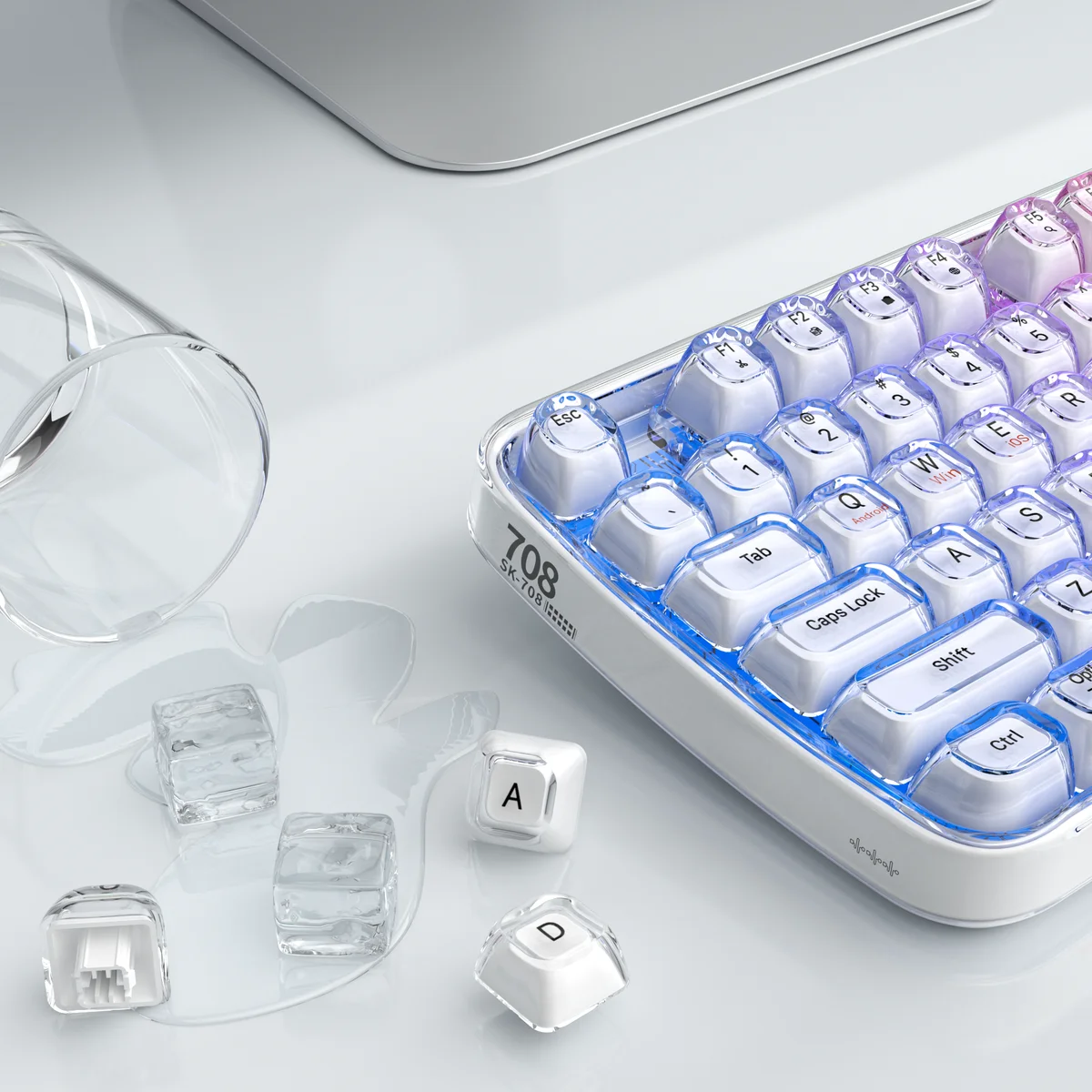
Crystal Arc White ✨

Premium keyboard with transparent keys and RGB backlight

🌈 RGB Backlight
New ✨ Crystal Arc Black
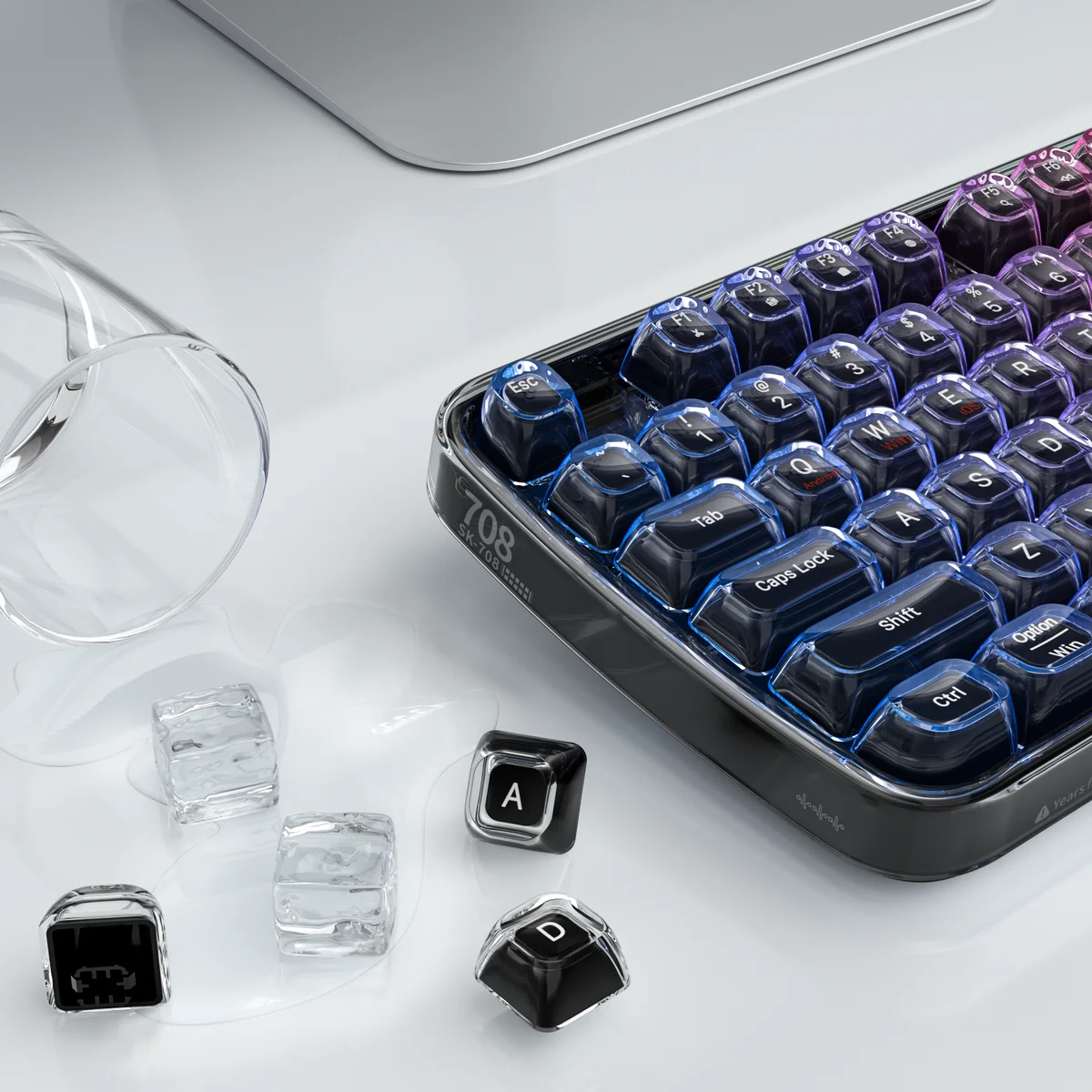
Crystal Arc Black 🖤

Black version of the premium keyboard with RGB backlight

🌈 RGB Backlight
New ✨ AK-96 White Light Gray
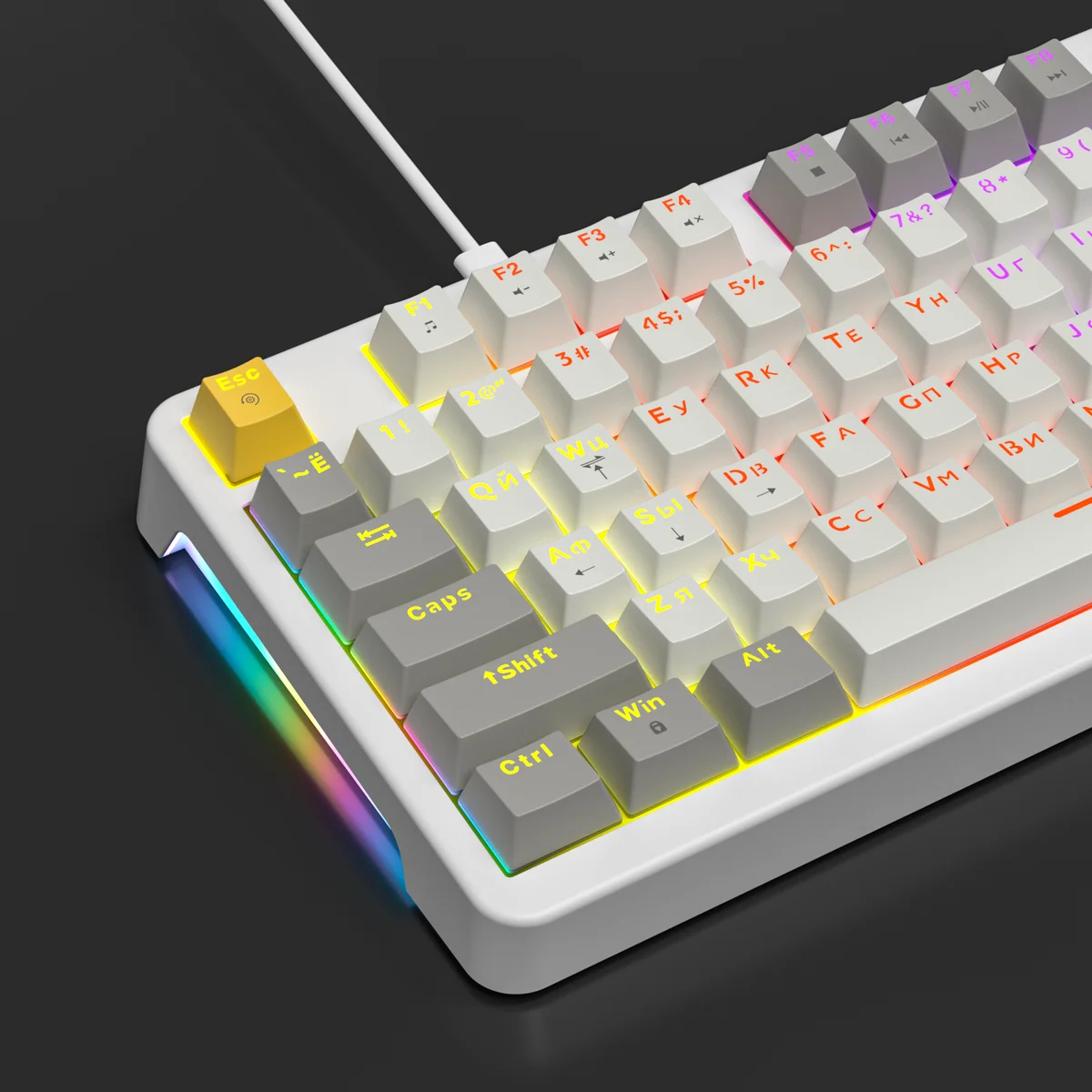
AK-96 Light Gray 🤍

96% mechanical keyboard with light gray keys and RGB backlight

🌈 RGB Backlight
New ✨ AK-96 White Dark Gray

AK-96 Dark Gray 🩶

96% mechanical keyboard with dark gray keys and RGB backlight

🌈 RGB Backlight

Wrist Rests 🤲

New ✨ KWR-01
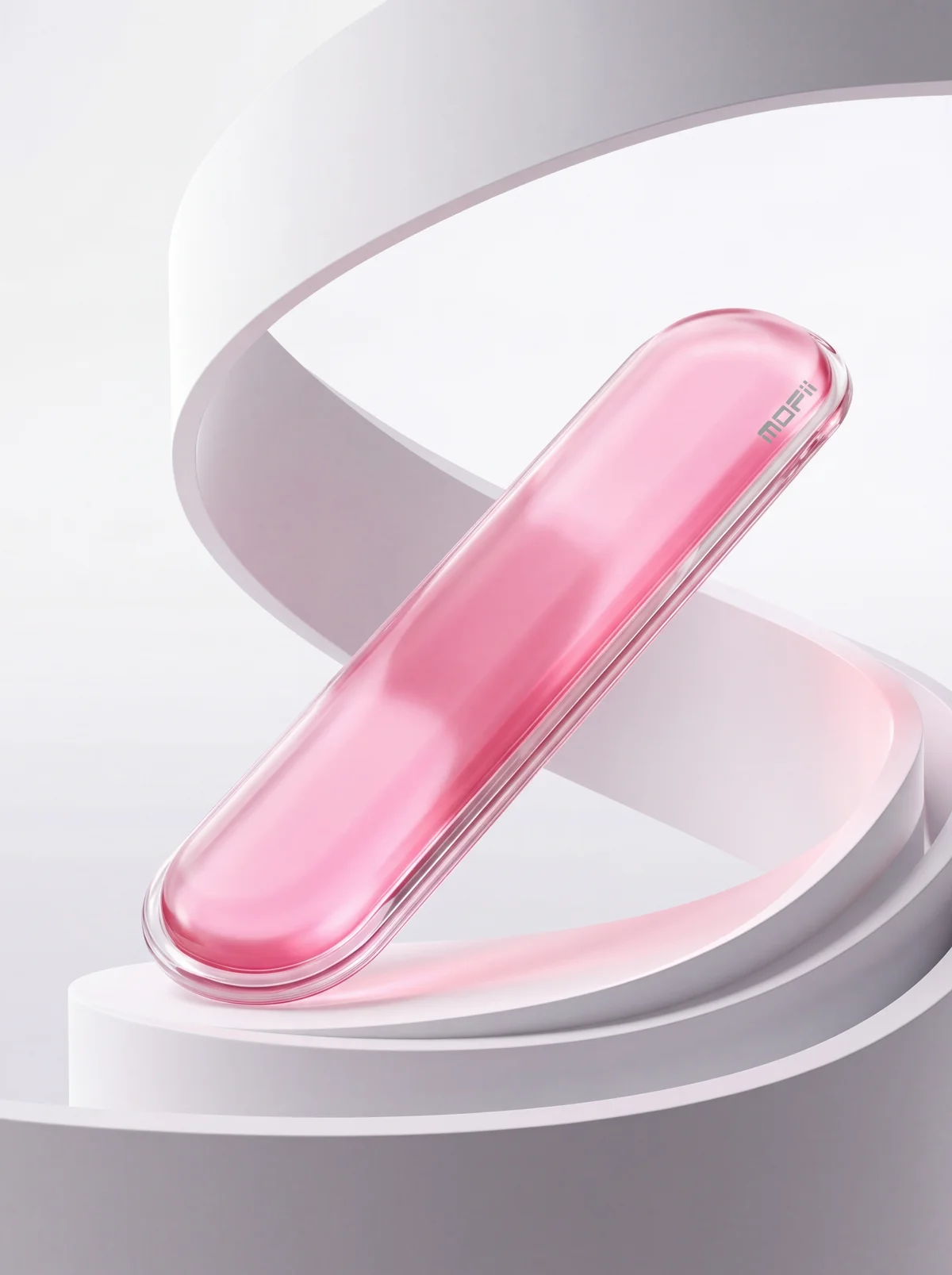
KWR-01 💕

Premium wrist rest: transparent TPU shell with colored gel inside

4 colors:
New ✨ KWR-02
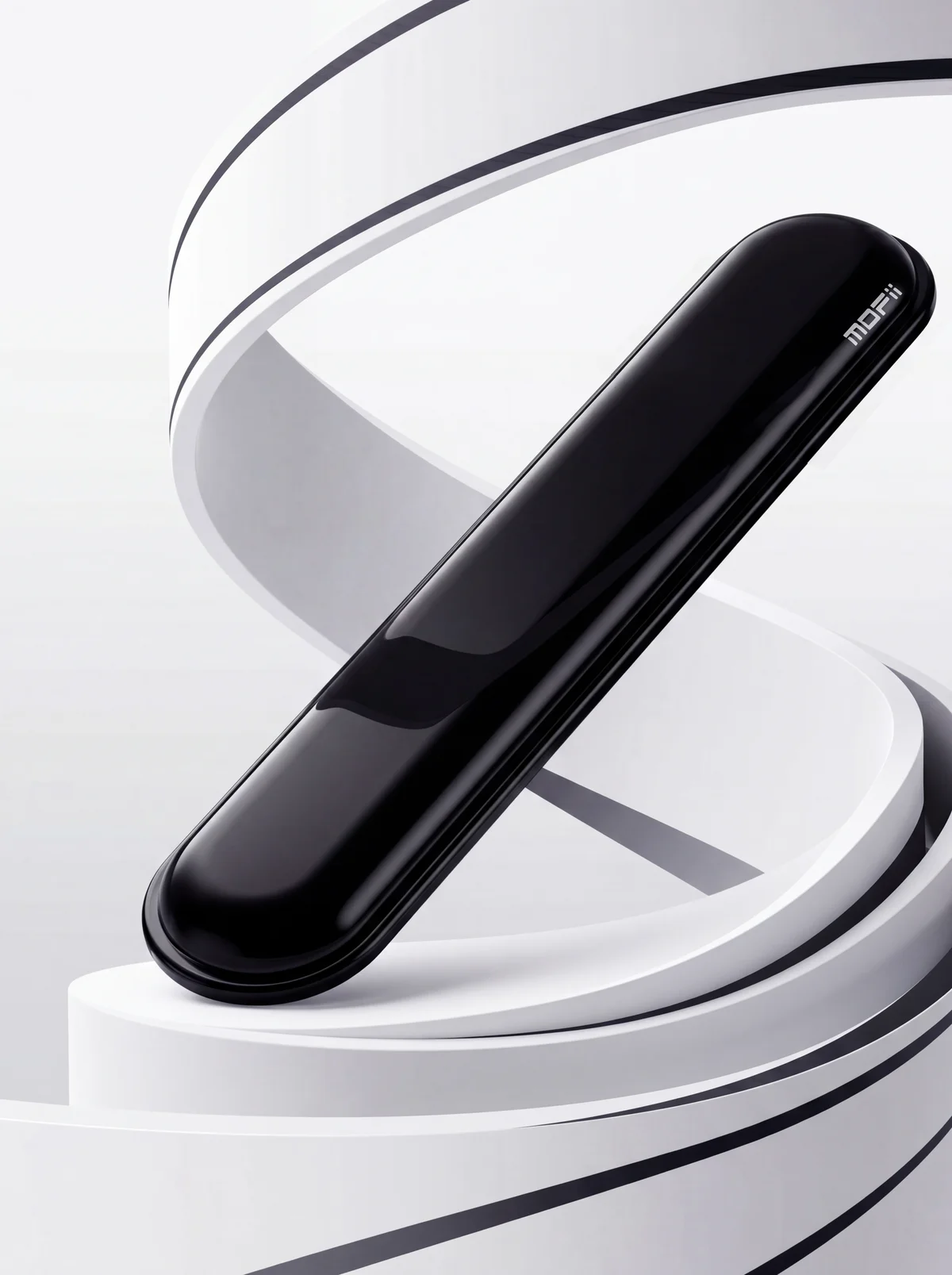
KWR-02 ✨

Classic glossy wrist rest

2 colors:

Keyboard + Mouse Sets ⌨️🖱️
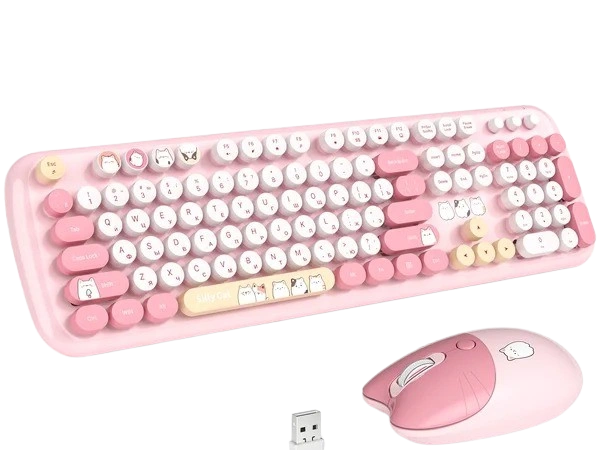
Kitty

Kitty 🐱

Cute set with kitty keycaps

4 colors:
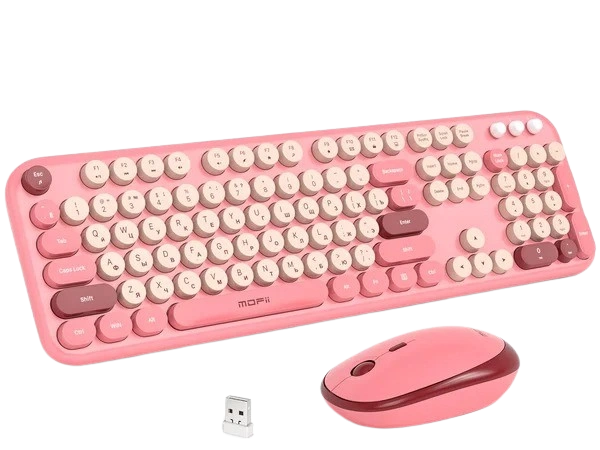
Sweety

Sweety 🍬

Vibrant set for color lovers

4 colors:

Mice 🐭
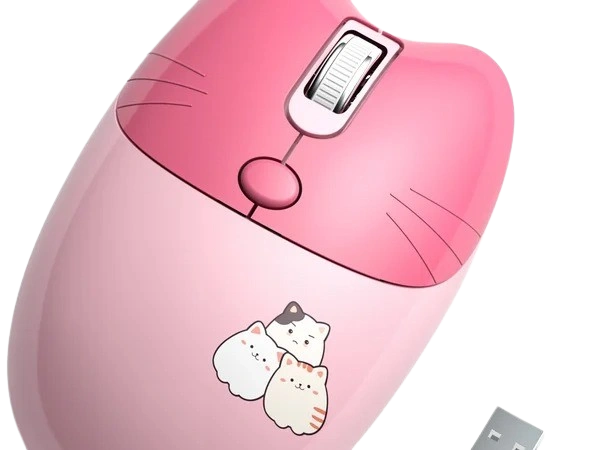
Kitty Mouse

Kitty Mouse 😺

Mouse with kitty ears

4 colors:
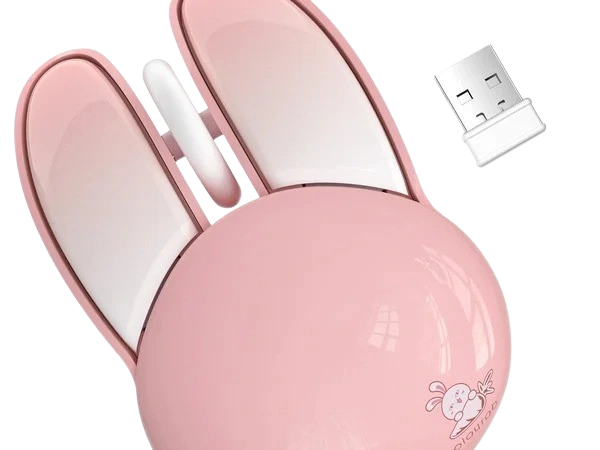
Bunny Mouse

Bunny Mouse 🐰

Mouse with bunny ears

4 colors:
Classic BT

Classic BT ✨

Minimalist Bluetooth mouse

2 colors:

We didn't write these! Real reviews, kitties don't lie! ✨

Need Help? 🛠️

Answers to common questions about MOFii products

🔵 Bluetooth Won't Connect
  1. Make sure the device is charged
  2. Switch to Bluetooth mode (Fn + 1/2/3)
  3. Remove old pairing on your PC
  4. Hold the Bluetooth button for 3 sec
  5. Find the device in your settings
💡 Backlight Not Working
  1. Check if backlight is enabled (Fn + backlight key)
  2. Try switching backlight modes
  3. At low battery, backlight may turn off automatically
🖱 Adjusting Mouse DPI

Press the DPI button (under the scroll wheel). 800 — precision work, 1200 — universal, 1600+ — for large screens. The indicator shows the current mode by color.

🧹 How to Clean Your Keyboard
  1. Disconnect the keyboard
  2. Turn it upside down and shake out crumbs
  3. Use compressed air between keys
  4. Wipe with a damp cloth
  5. Let it dry completely before use
📡 Lost the USB Receiver — What to Do?

Unfortunately, 2.4G wireless connection isn't possible without a receiver. But we can help! Contact us — we'll find a compatible receiver and ship it via marketplace.

🔄 Pairing a mouse with a new receiver:

  1. Insert the new nano-receiver into a USB port
  2. Place the mouse within 10 cm of the receiver
  3. Insert the battery into the mouse
  4. Simultaneously press and hold the scroll wheel and right mouse button
  5. Wait a few seconds — the mouse will connect automatically

🔄 Pairing a keyboard with a new receiver:

  1. Insert the new nano-receiver into a USB port
  2. Place the keyboard within 10 cm of the receiver
  3. Insert the battery into the keyboard
  4. Simultaneously press and hold ESC and K keys
  5. Wait a few seconds — the keyboard will connect automatically

Didn't find your answer? We're here to help!

🤷‍♀️